VisiblioSearch and AI visibility
Check and monitor

Page speed test that tells you what to fix first

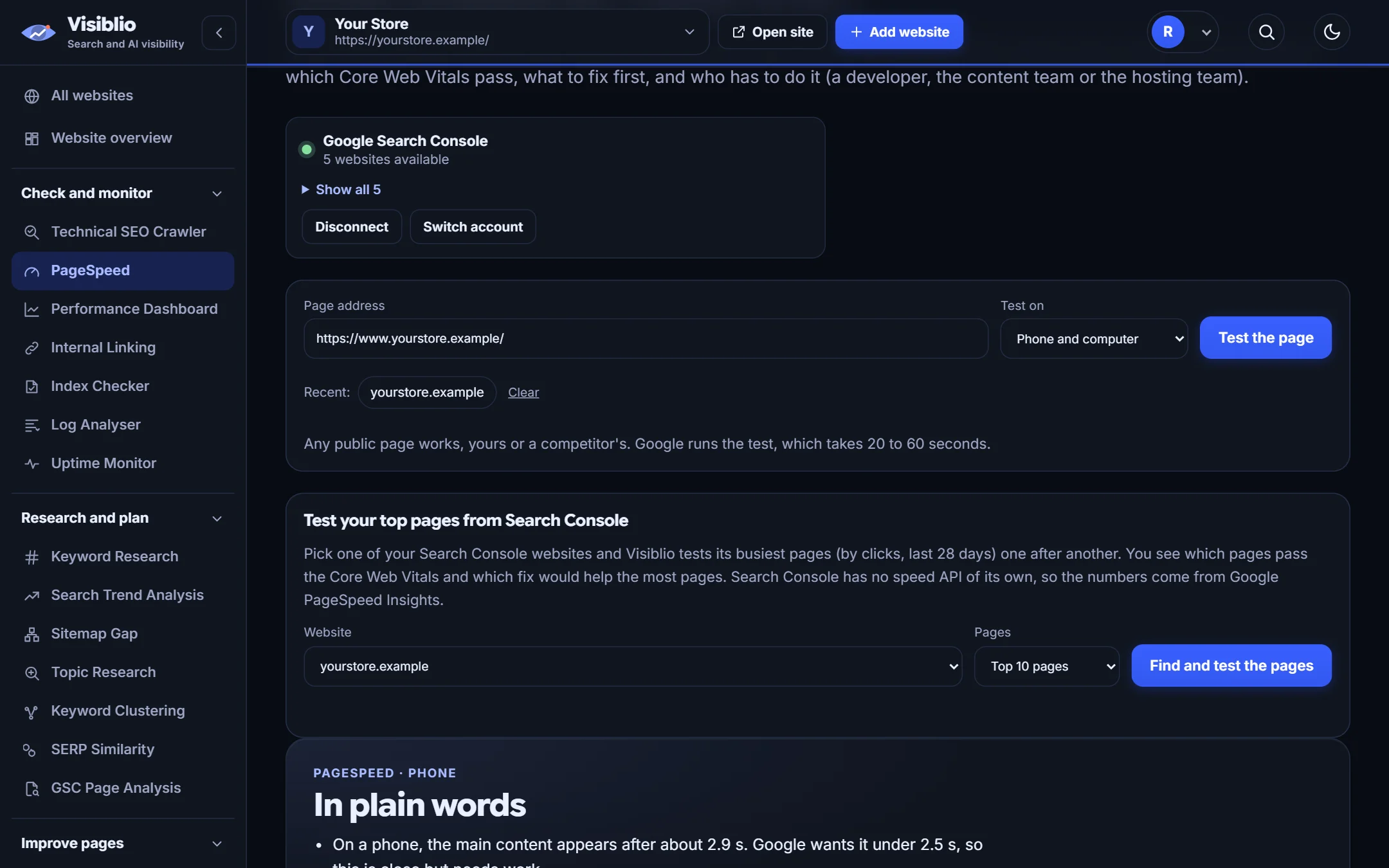
Run Google PageSpeed Insights on any page and get the results in plain language, with the slowest problems at the top and what to do about each.

Mobile + desktopboth testedCore Web Vitalsexplained in plain wordsLab + visitorsdata when Google has it
visiblio · pagespeed
PageSpeed in Visiblio: page speed test shown with sample data
Sample data

What is PageSpeed?

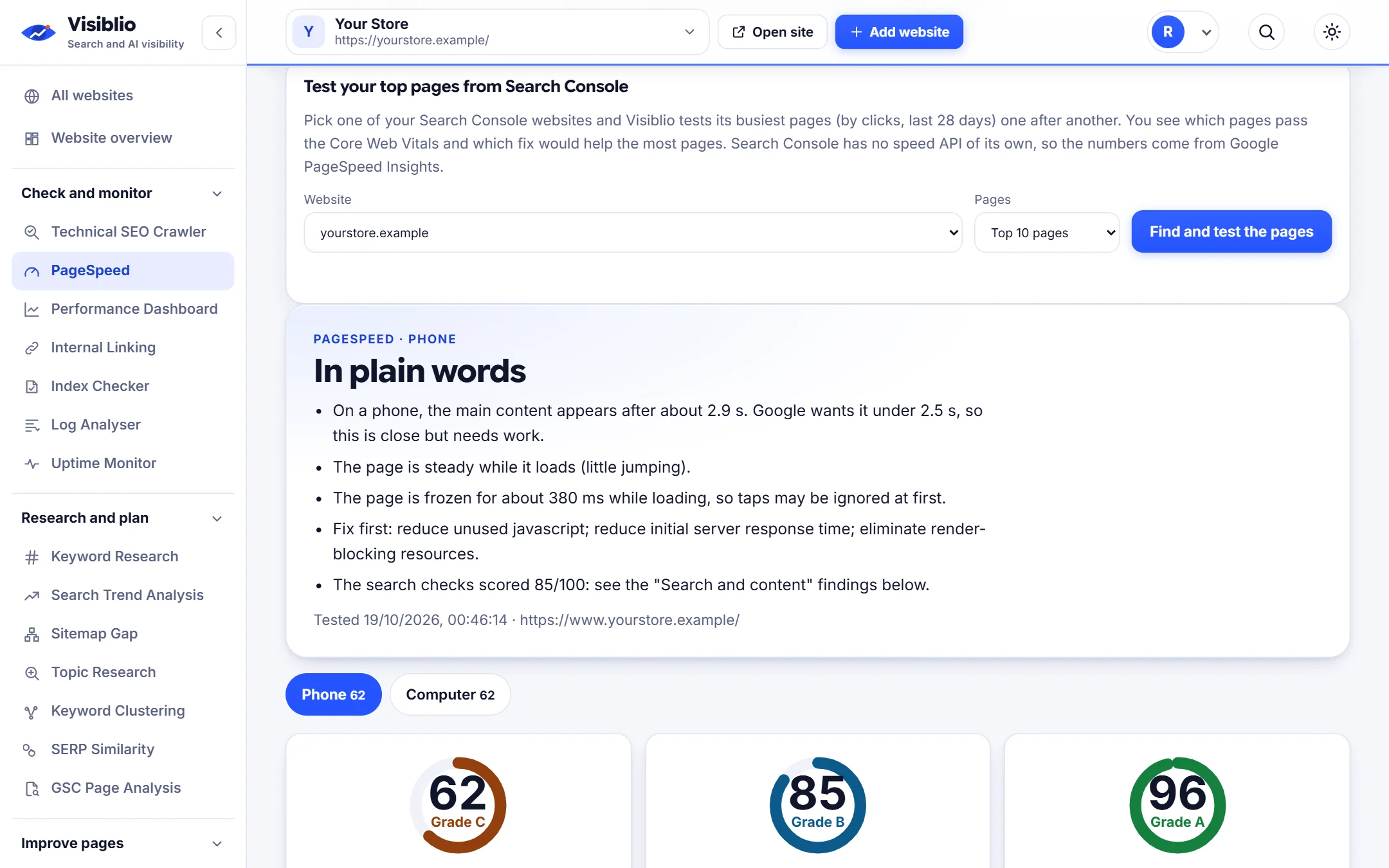
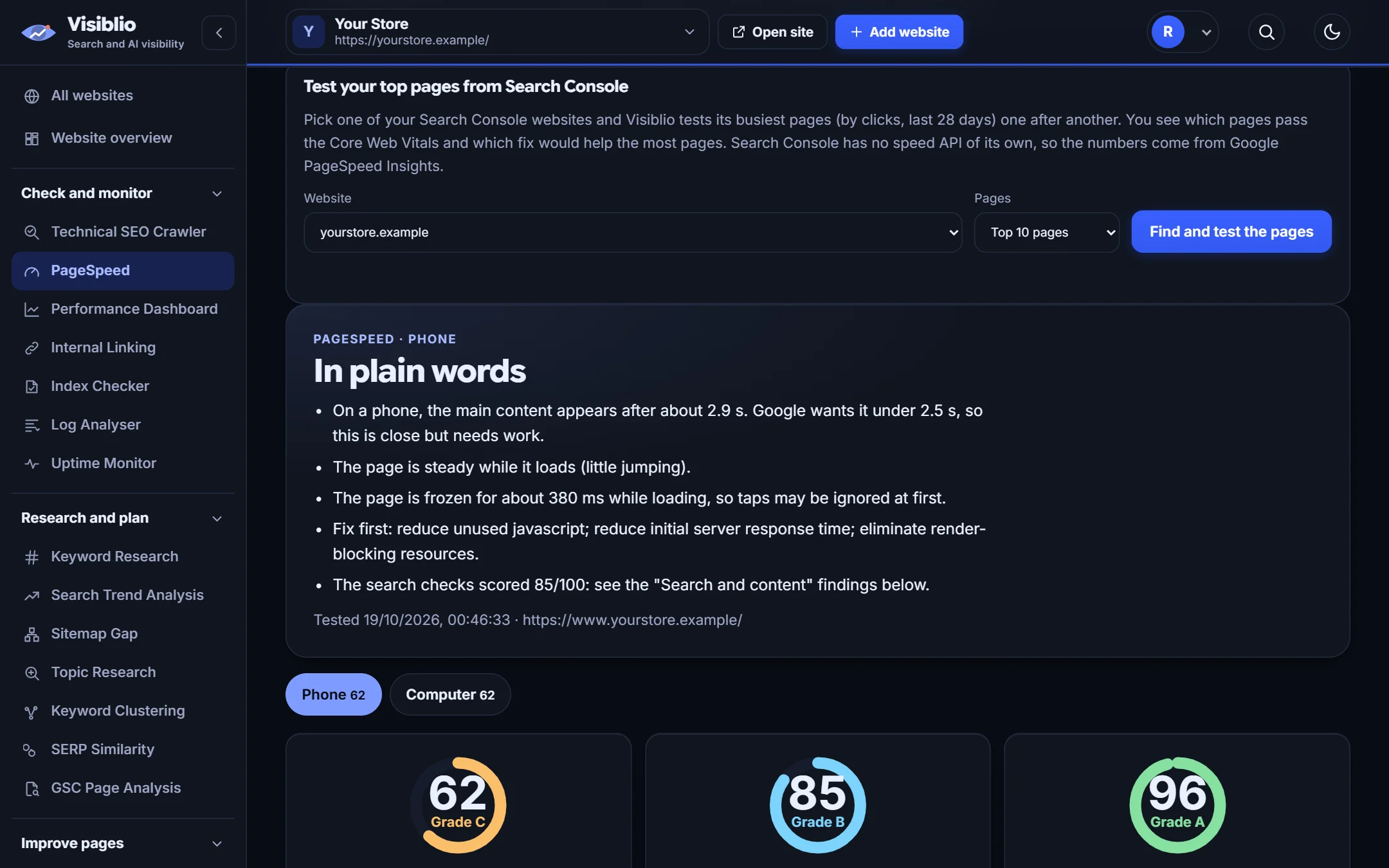
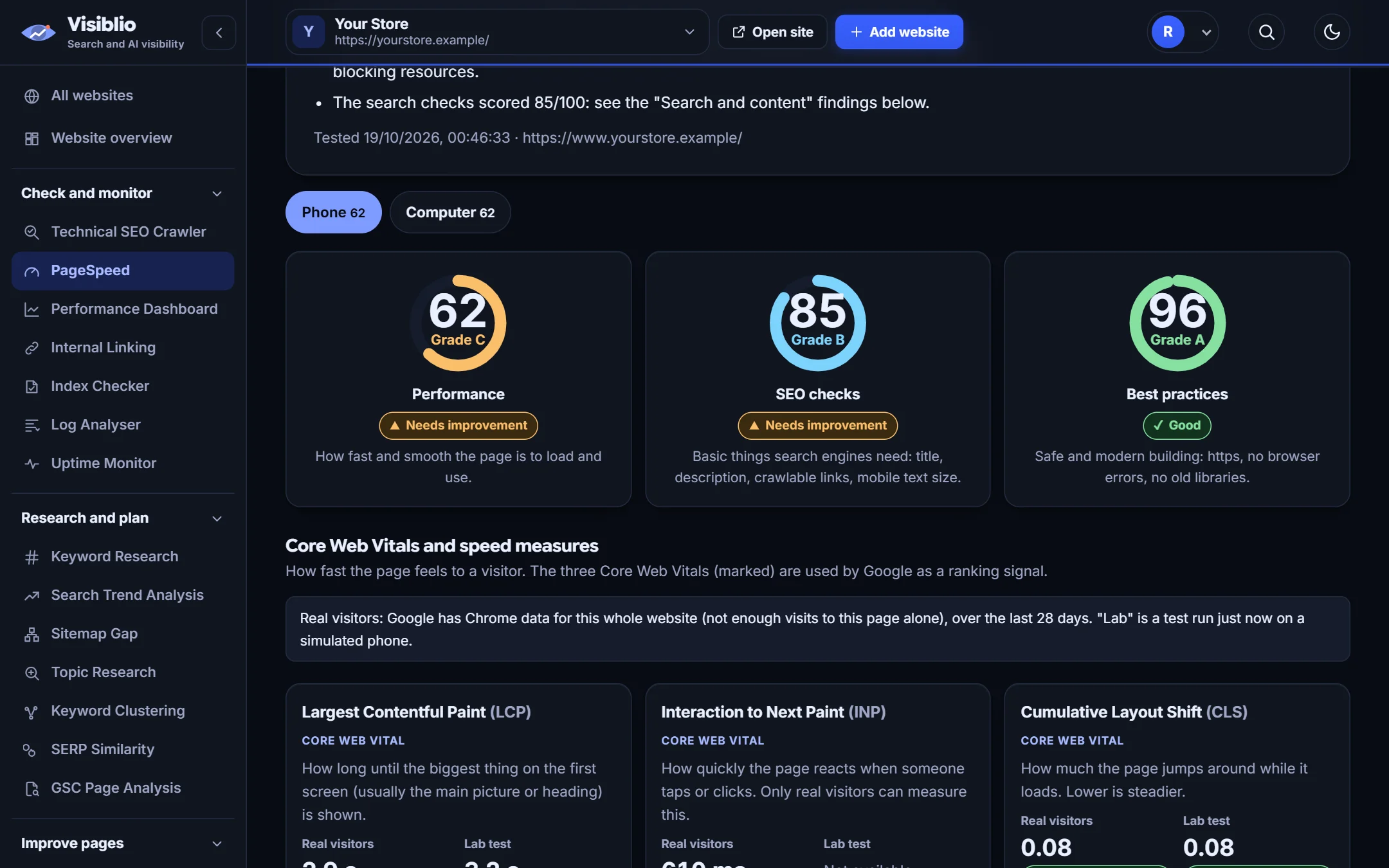
PageSpeed in Visiblio runs Google PageSpeed Insights for a page on mobile and desktop and turns the Lighthouse report into a short, readable list. You see the Core Web Vitals, the real-world data Google has for the page when it exists, and the opportunities ranked by how much time they could save.

Instead of a wall of technical audit names, each item is explained in our own words: what is slow, why it matters and which fix is worth your developer's time.

Why use PageSpeed

Core Web Vitals in one view

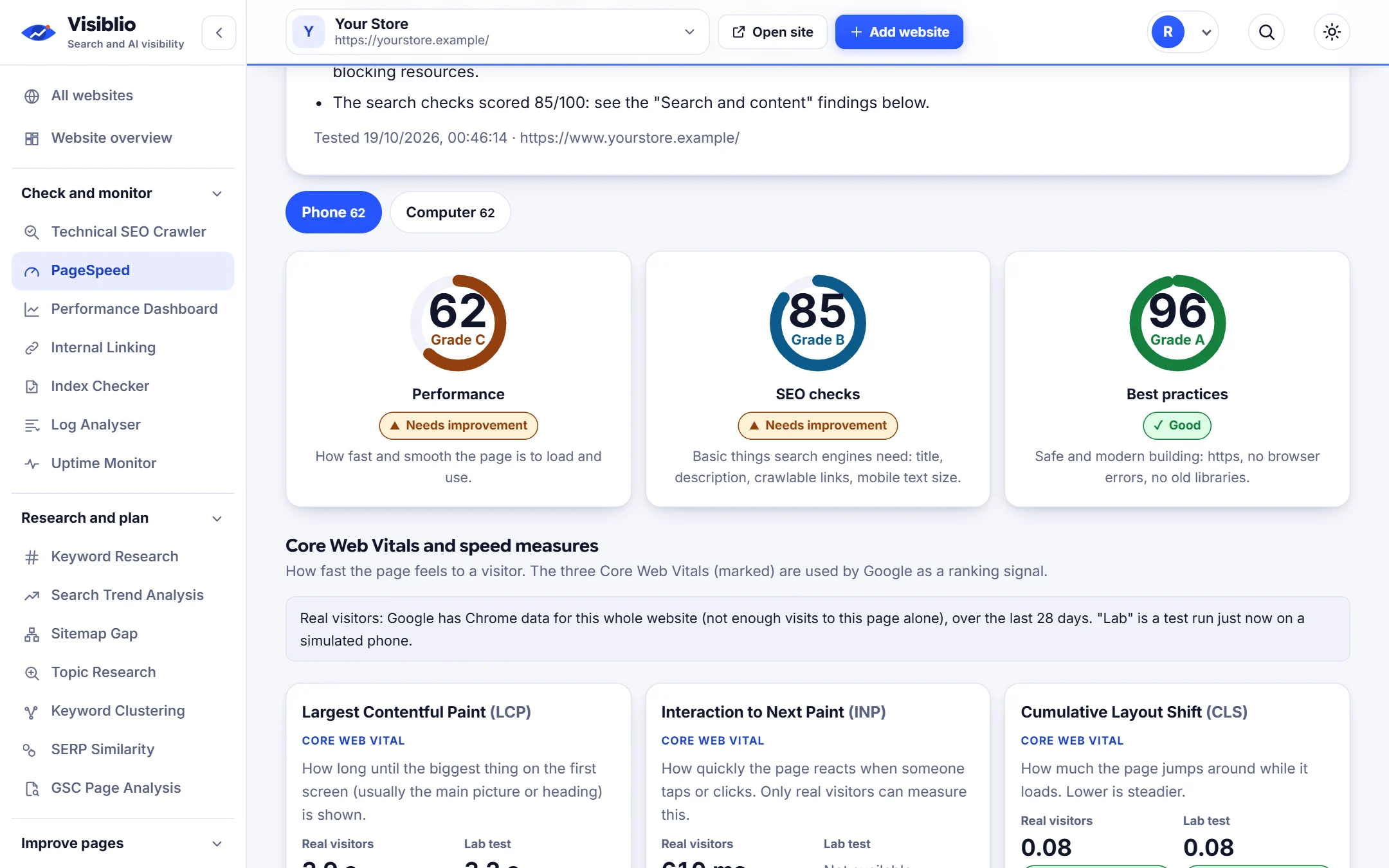
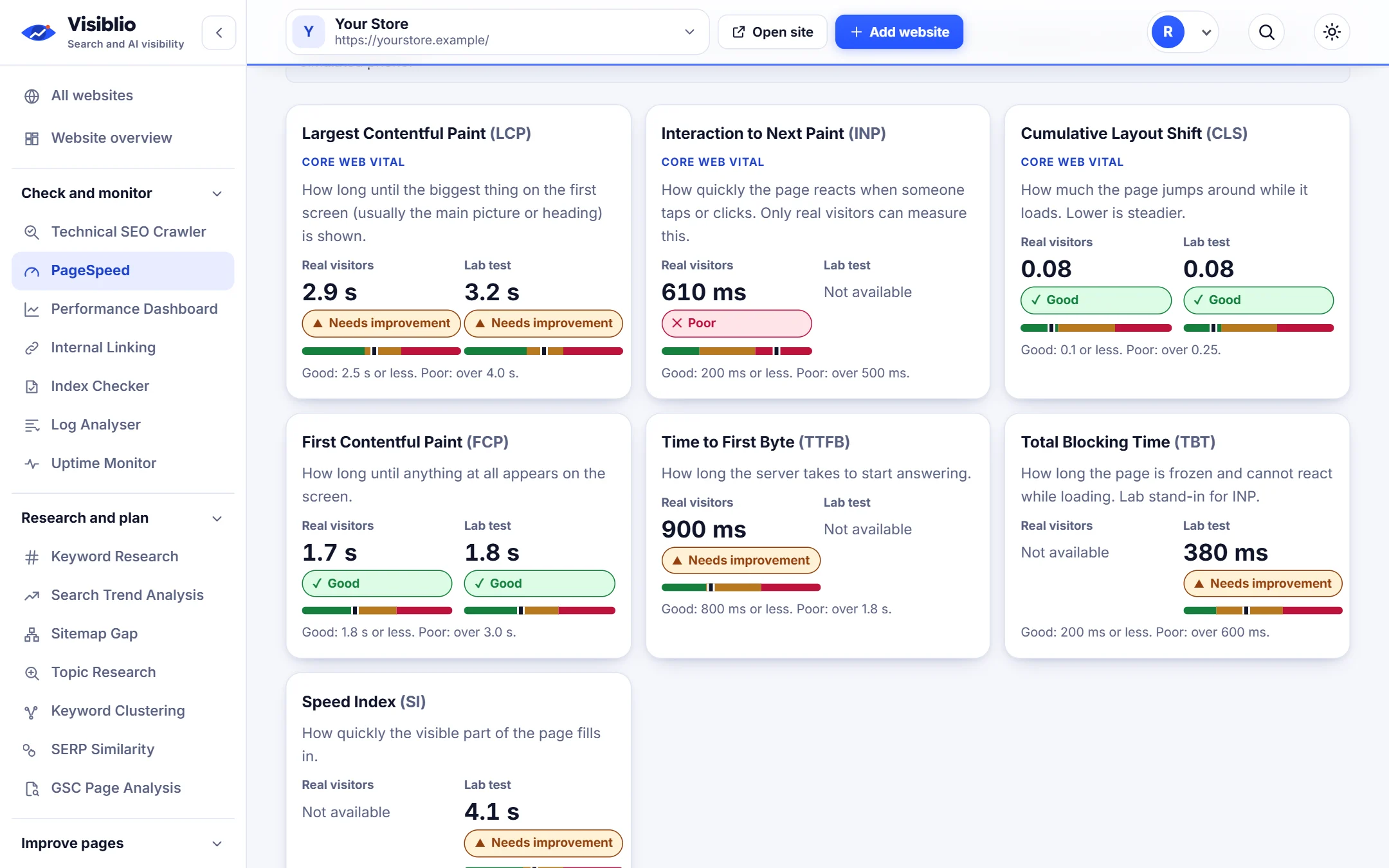
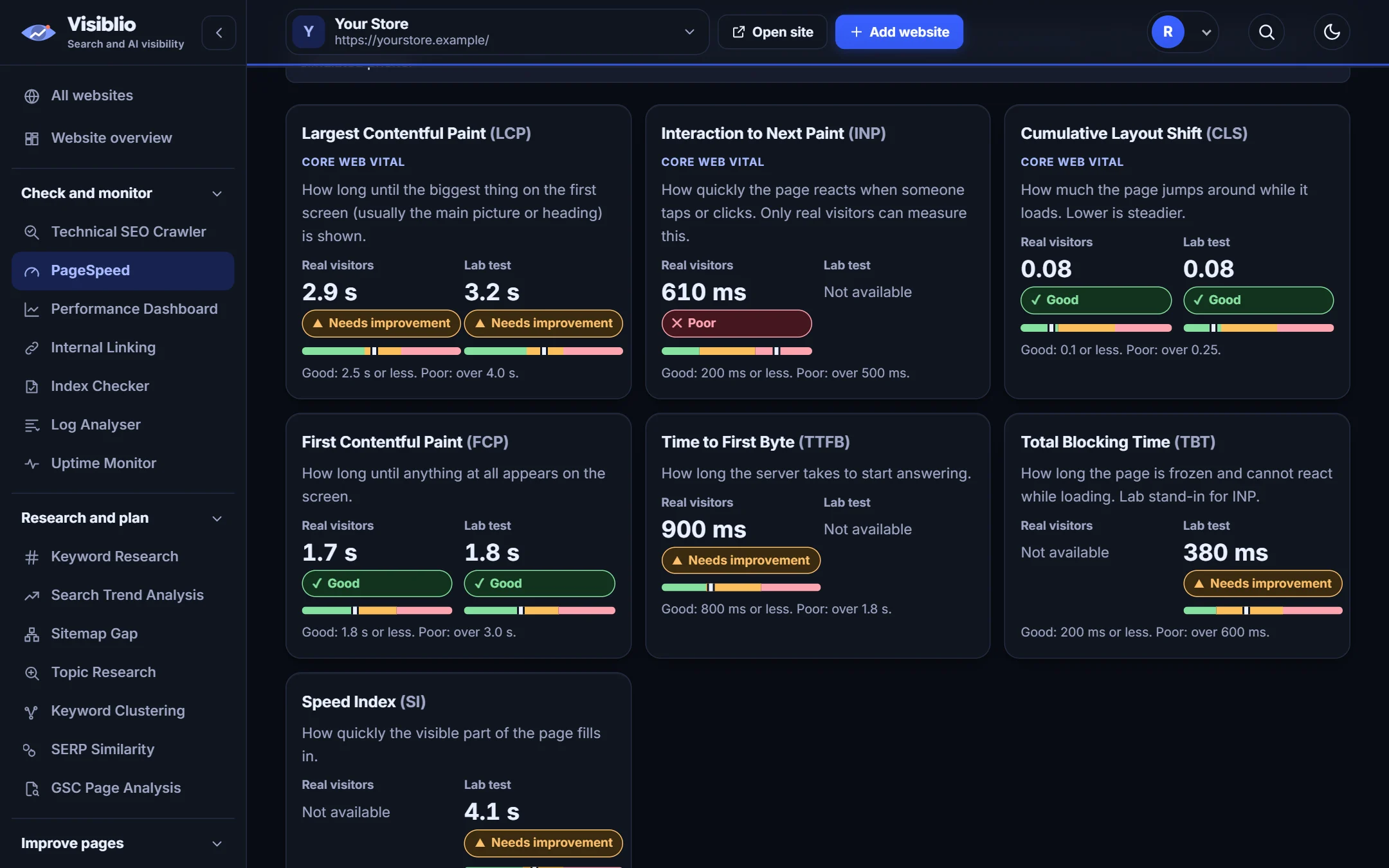
Largest Contentful Paint, Interaction to Next Paint and Cumulative Layout Shift with a clear good, needs work or poor mark.

Lab and real-user data

See Lighthouse test results and, when Google has them, the data from real visitors.

Fixes in plain words

Every opportunity explains what it means and what to ask your developer to do.

Mobile and desktop

Switch between the two, because the results are often very different.

Part of the audit

The same check appears inside the page profile of the Technical SEO Crawler.

What you can do with PageSpeed

Results

A readable report, not a wall of audit names

Scores, timings and the biggest opportunities are shown in order, with the size of the saving, so the first fix is obvious.

  • Largest savings listed first
  • Diagnostics grouped by what they affect
  • Each item explained in plain language
Check your slowest page
visiblio · pagespeed
PageSpeed: A readable report, not a wall of audit names
Sample data
Vitals

Know where you stand on Core Web Vitals

See the three Core Web Vitals for the page and what each one measures, so you can talk about them with developers and clients.

  • Pass or fail for each vital
  • Field data shown when Google has enough visits
  • Notes on what usually causes each problem
visiblio · pagespeed
PageSpeed: Know where you stand on Core Web Vitals
Sample data
Weight

See what makes the page heavy

Total page weight, the largest files and unused code are listed, so you know whether images, scripts or fonts are the problem.

  • Largest resources listed
  • Image and script opportunities
  • Rerun after each fix to confirm
visiblio · pagespeed
PageSpeed: See what makes the page heavy
Sample data

How PageSpeed works

  1. 1

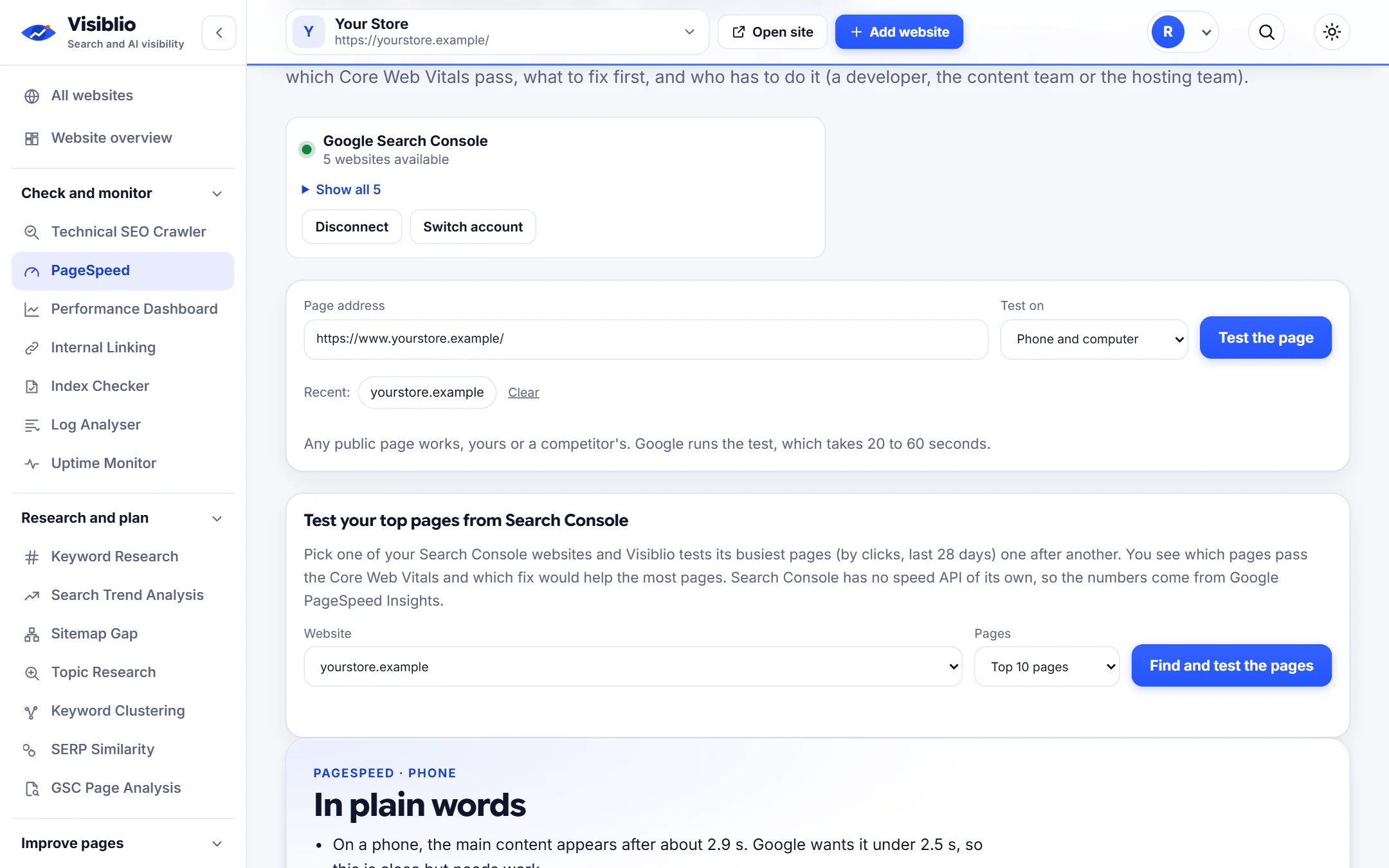
    Enter a page address

    Paste the page you want to test and choose mobile or desktop.

  2. 2

    Run the test

    Visiblio asks Google PageSpeed Insights and shows the answer as soon as it is ready.

  3. 3

    Fix and retest

    Work down the list, then run the test again to see the improvement.

Who PageSpeed is for

SEO specialists

Explain page speed problems to clients and developers in plain language.

Developers

Get a prioritised list of what to fix instead of reading the full Lighthouse report.

Site owners

Check your important pages without learning performance jargon.

PageSpeed compared with doing it by hand

What you needBy handWith Visiblio
Reading the reportDecode Lighthouse audit names yourselfEvery item explained in plain words
PriorityWork out which fix matters mostBiggest savings listed first
Sharing resultsScreenshots and notesA clean report you can share or discuss
ContextTest pages one by one in another toolInside the audit page profile too

Frequently asked questions about PageSpeed

What is a page speed test?

A page speed test loads a page in a controlled browser, measures how quickly content appears and becomes usable, and reports what slows it down. Visiblio uses Google PageSpeed Insights, which also shows real-visitor data when it exists.

What are Core Web Vitals?

Core Web Vitals are three measurements Google uses to judge page experience: how fast the main content loads, how quickly the page responds to a click or tap, and how much the layout shifts while loading.

Why are my mobile and desktop scores different?

Mobile tests use a slower connection and a less powerful device, so the same page usually scores lower on mobile. Check both, and treat mobile as the priority for most websites.

Does page speed affect rankings?

Page experience is one of many signals Google uses, and it matters most when pages are very slow. Faster pages also keep visitors, which helps conversions regardless of rankings.

Is the PageSpeed tool free?

You can start for free. Plans set the number of speed tests you can run each month.
Ready to try PageSpeed?

Open the tool, add your website or a page address and see the result in minutes. It is free to start.