VisiblioSearch and AI visibility
Check and monitor

Google index checker for many URLs at once

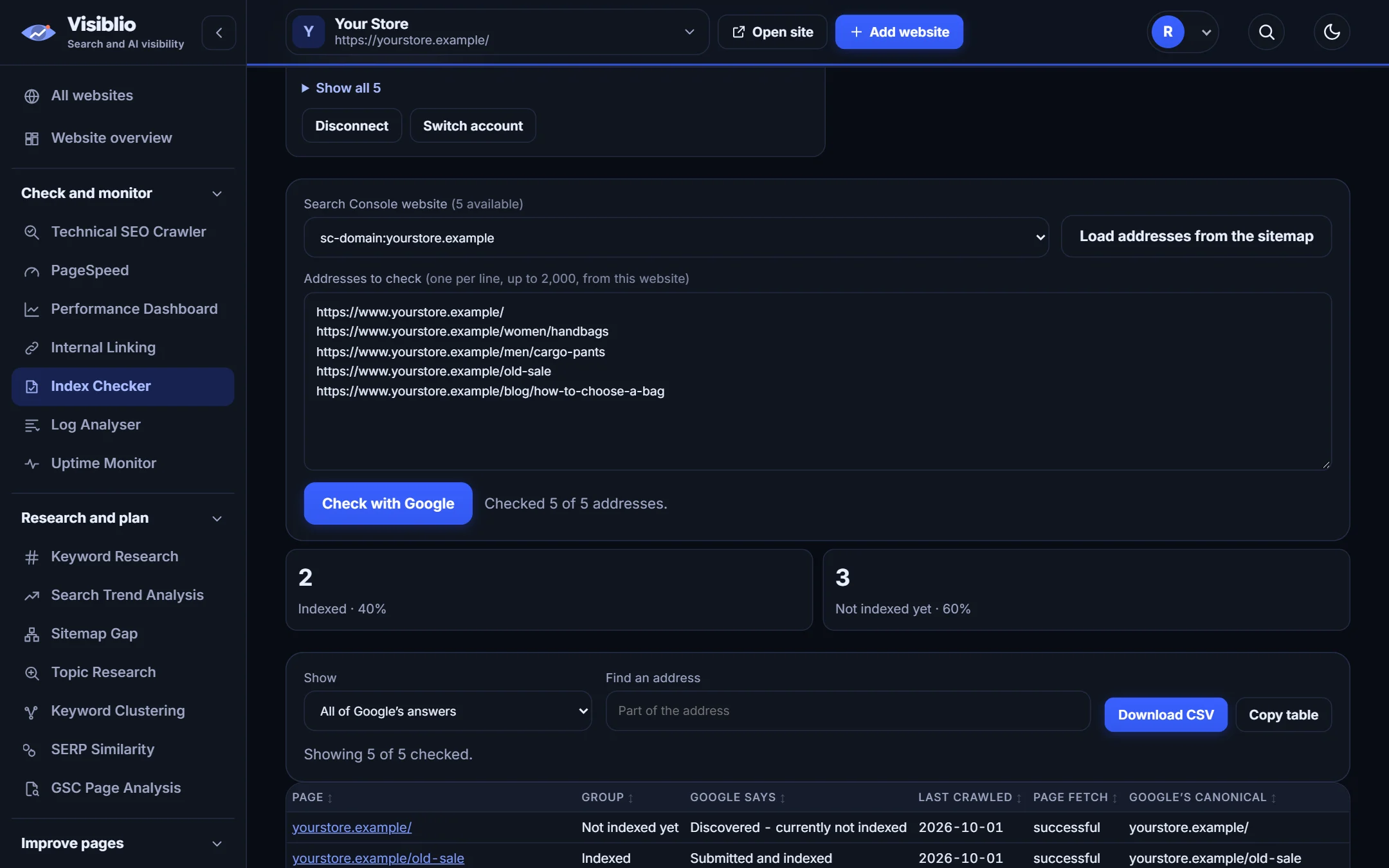
Paste a list of pages and see which ones Google has indexed, which it has not, and the reason, using your own Search Console connection.

Bulkpaste a whole listThe reasonshown for every pageYour ownSearch Console data
visiblio · index checker
Index Checker in Visiblio: Google index checker shown with sample data
Sample data

What is Index Checker?

A page that is not indexed cannot rank. The Visiblio Index Checker sends your pages to Google's URL Inspection data through your own Search Console connection and shows the answer for each one: indexed or not, the reason, the canonical Google chose and when it last crawled the page.

It works in bulk, so you can check a whole list of important pages in one go instead of inspecting them one by one in Search Console.

Why use Index Checker

Bulk checking

Paste hundreds of addresses and check them together.

The reason, not only the status

See why a page is not indexed, such as crawled but not indexed or blocked by robots.

Canonical and crawl date

Check which version Google chose and how recently it visited.

Your own Google data

Results come from your Search Console, so they are the data Google holds about your site.

Export the results

Download the list to share with developers or clients.

What you can do with Index Checker

Results

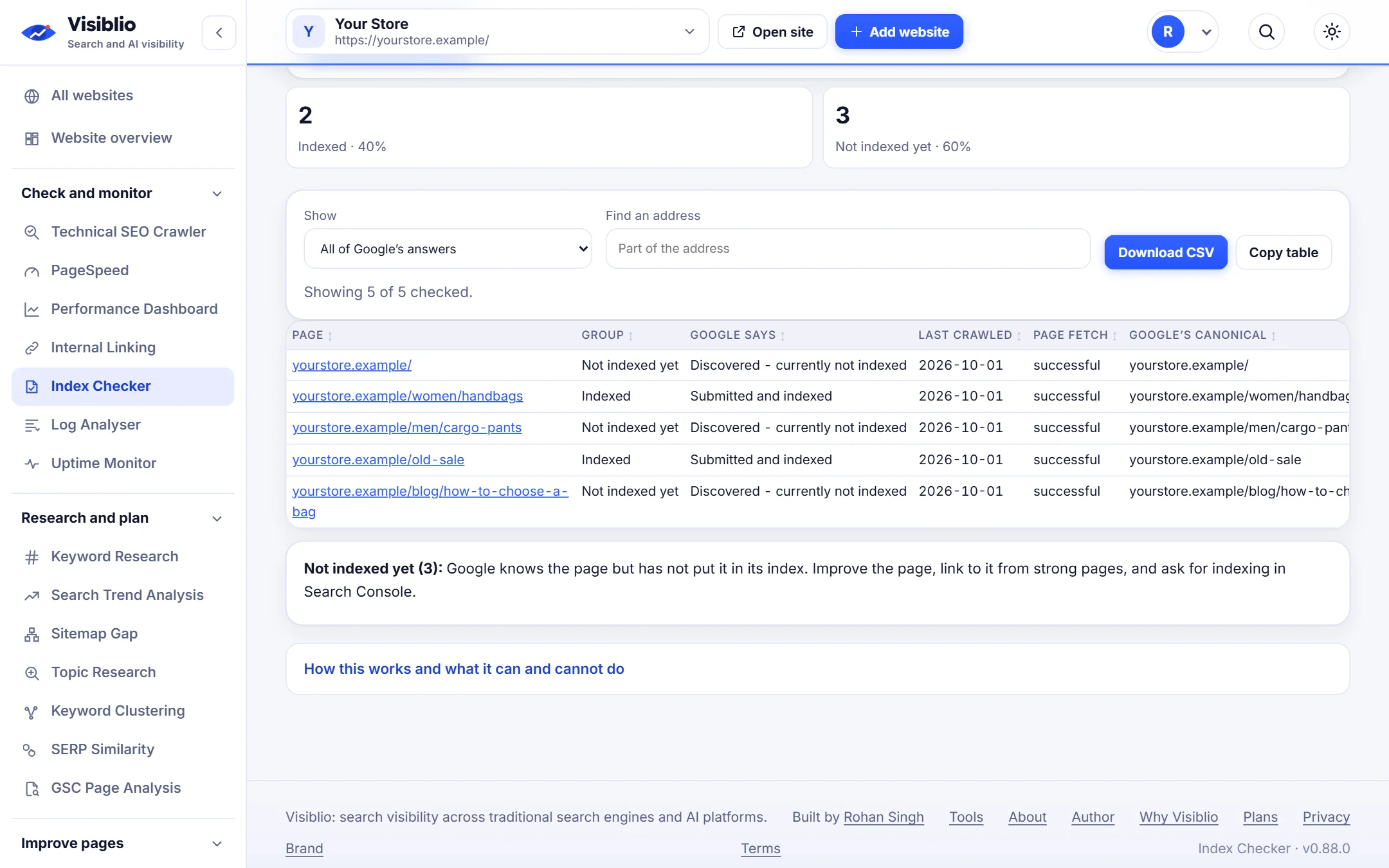
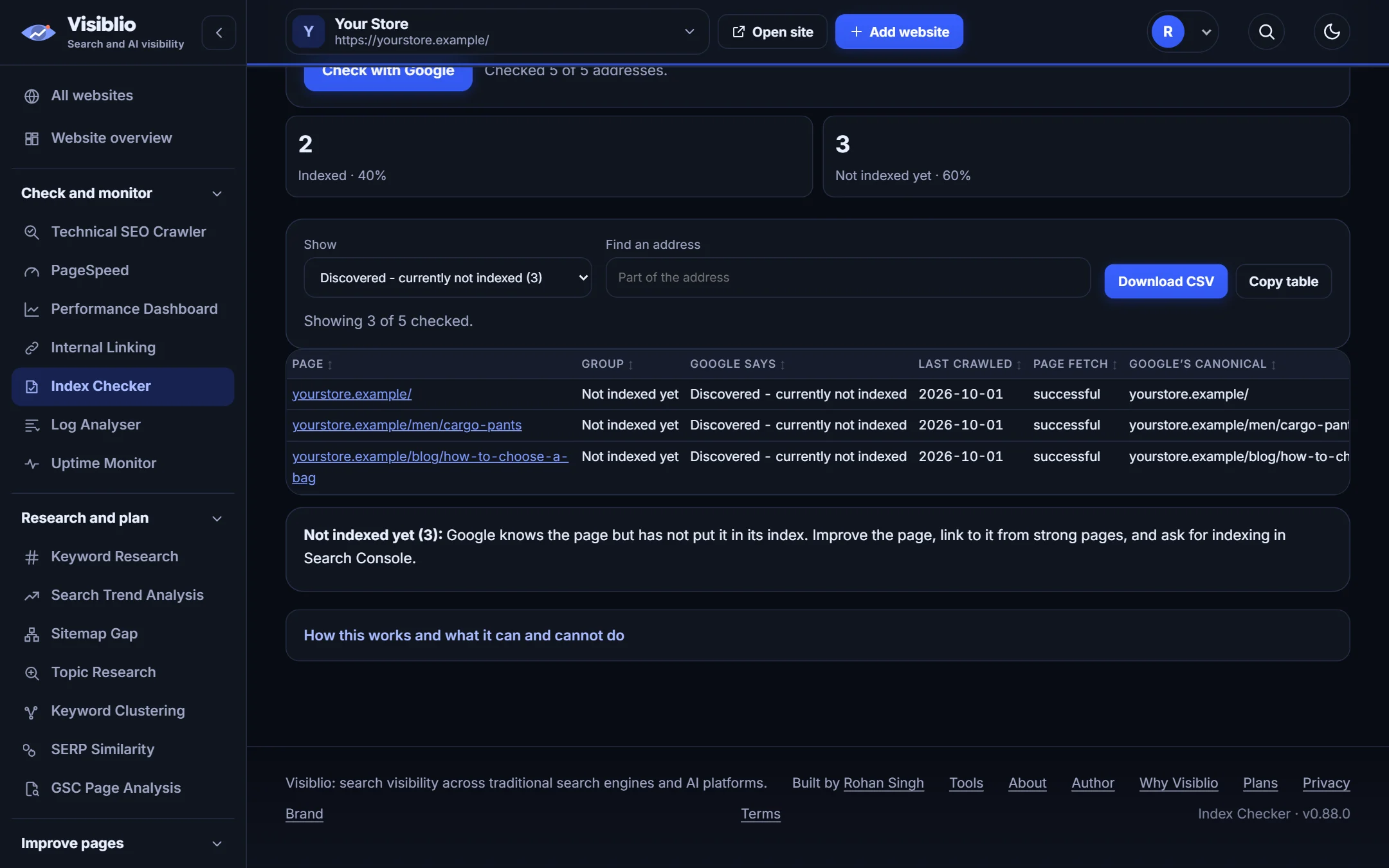
One table with the answer for every page

Sort and filter by status and reason to see where the biggest groups of problems are.

  • Indexed, not indexed and unknown shown clearly
  • Reason and last crawl date for each page
  • Filter by reason
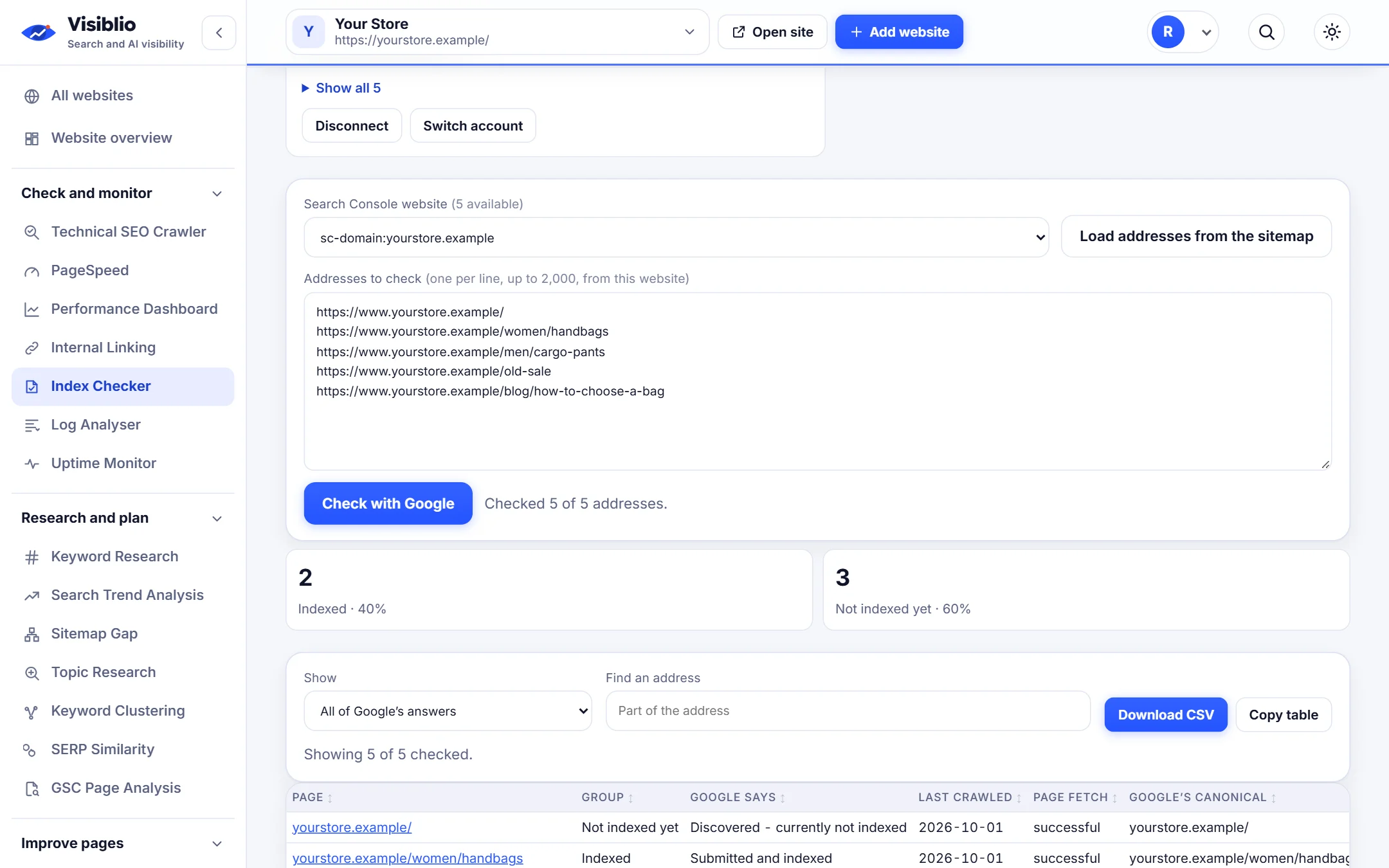
Paste your URL list
visiblio · index checker
Index Checker: One table with the answer for every page
Sample data
Reasons

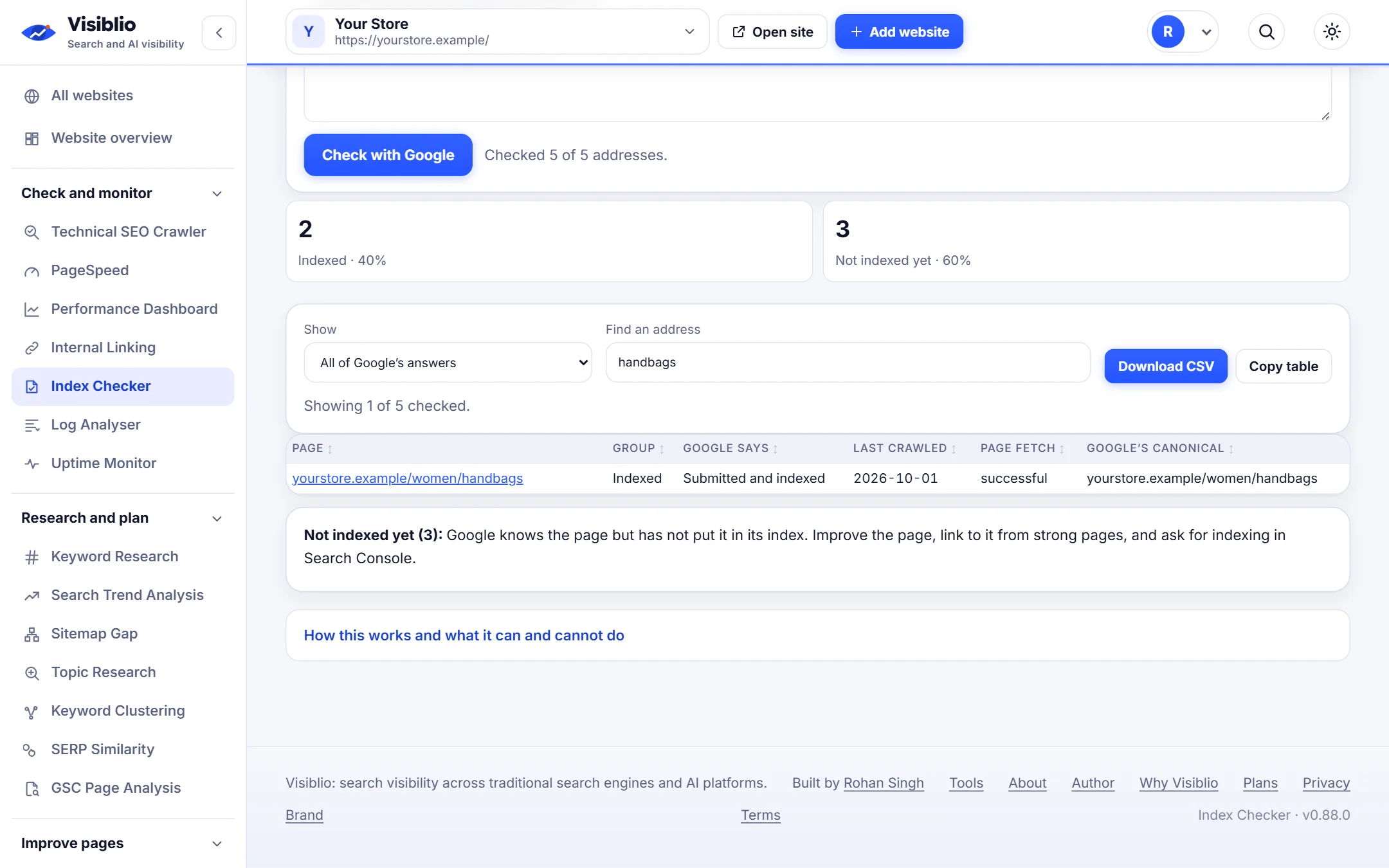
Understand what holds pages back

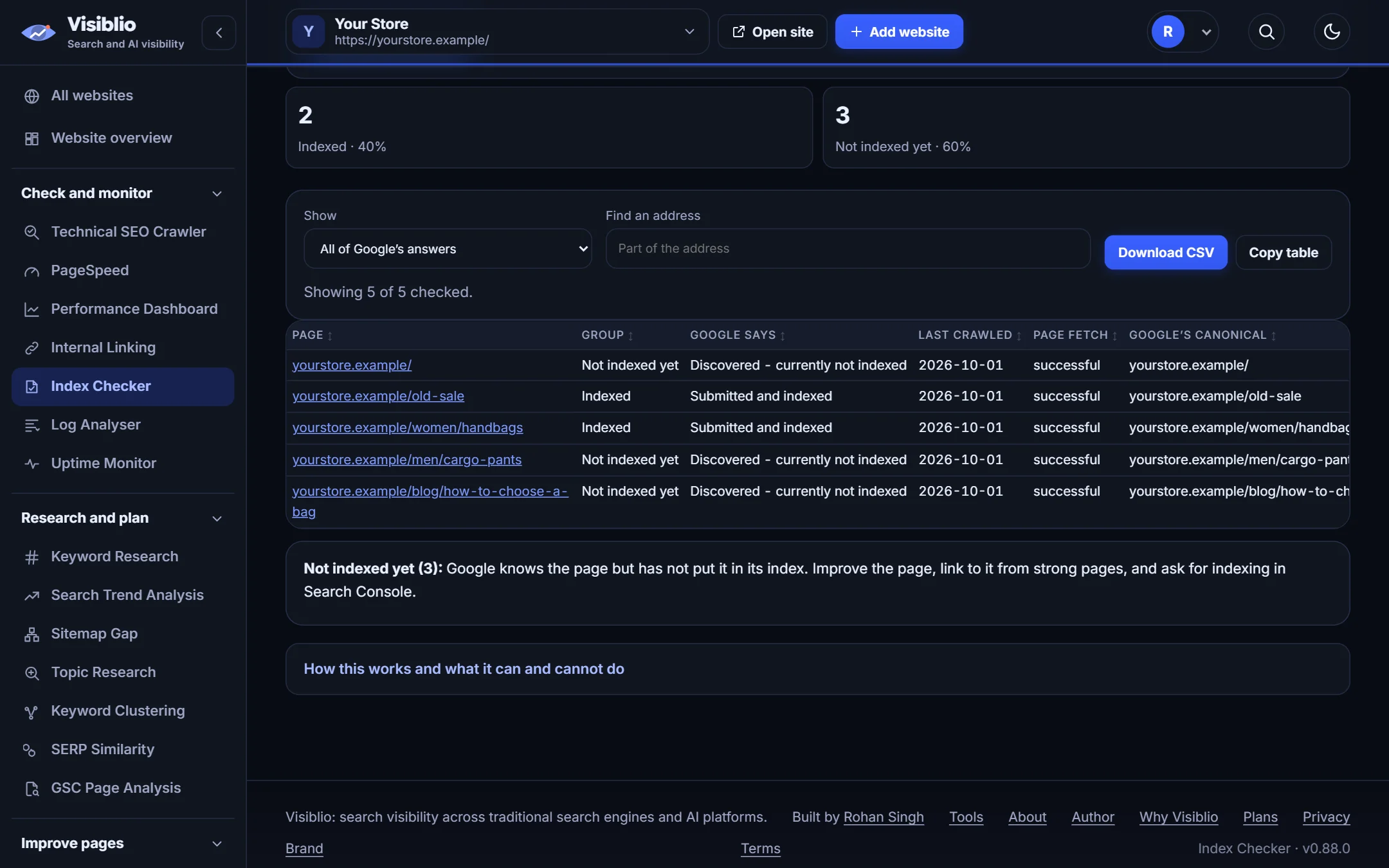
Common reasons such as discovered but not indexed, duplicate pages and noindex tags are explained in plain language with what to do next.

  • Plain-language reasons
  • Groups of pages with the same problem
  • Next step for each reason
visiblio · index checker
Index Checker: Understand what holds pages back
Sample data
Workflow

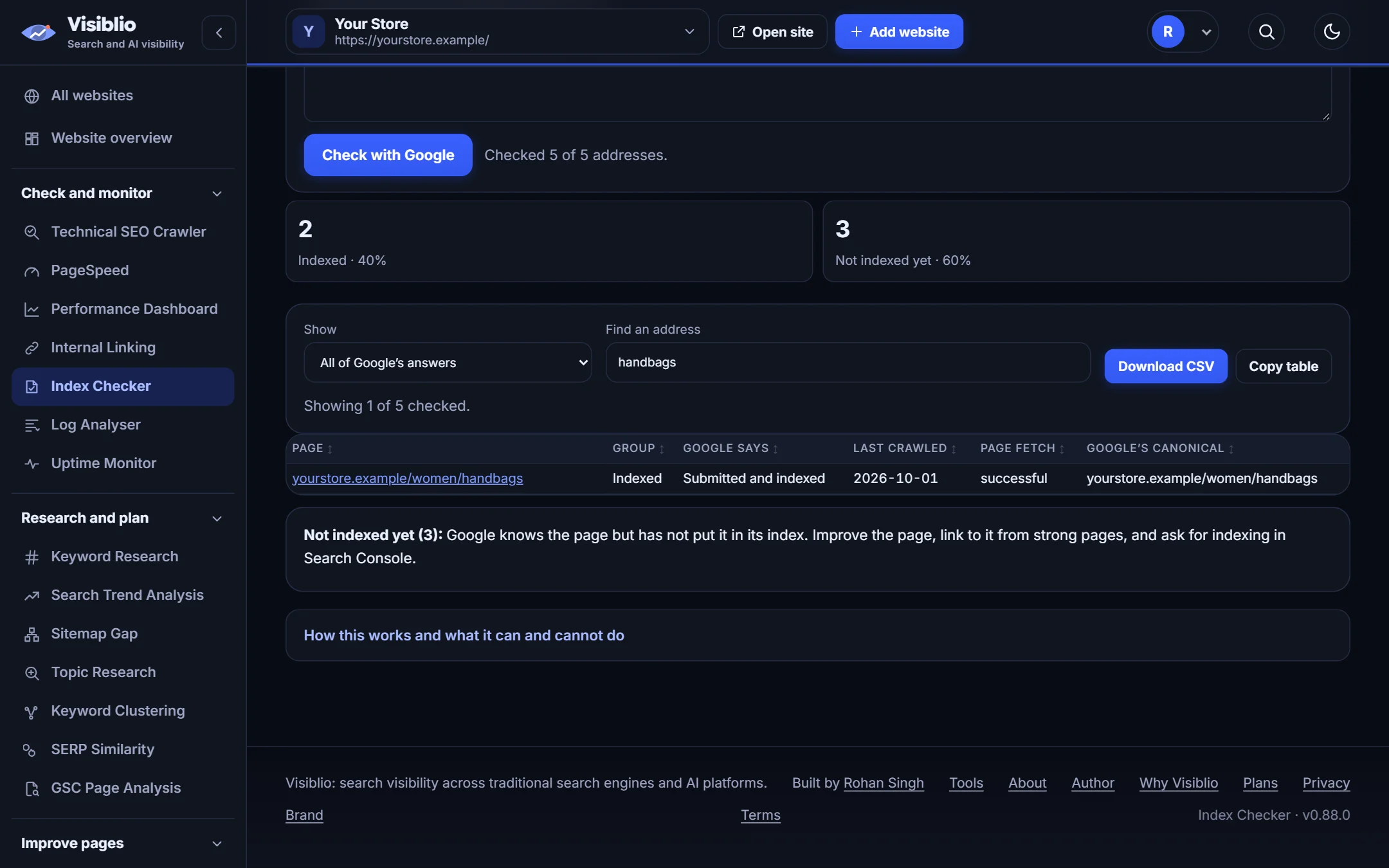
Recheck after you fix

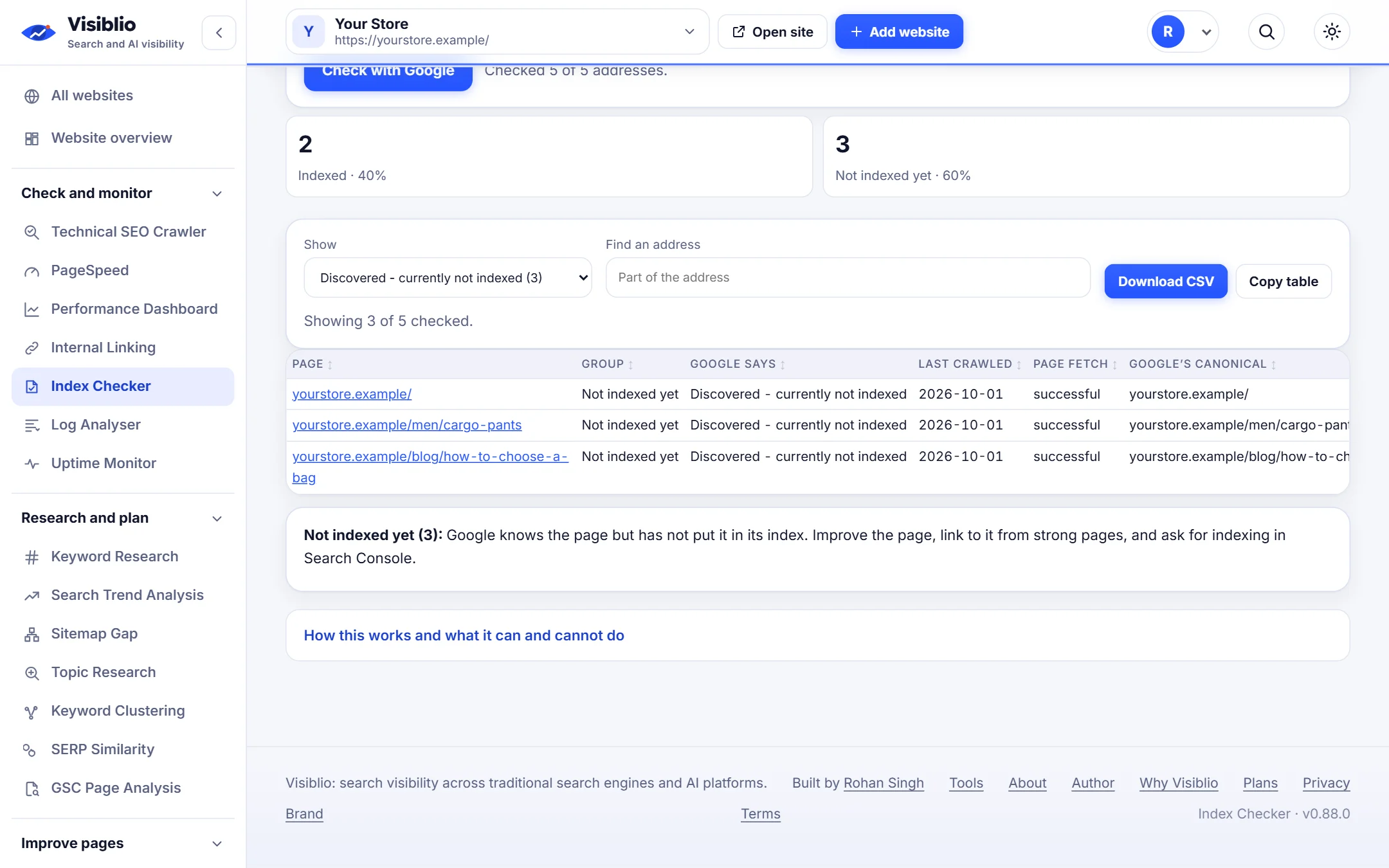
Run the same list again after changes and compare, so you know which fixes worked.

  • Keep the list for later runs
  • Spot pages that moved to indexed
  • Share the table
visiblio · index checker
Index Checker: Recheck after you fix
Sample data

How Index Checker works

  1. 1

    Connect Search Console

    Sign in with Google and choose the website. Access is read-only.

  2. 2

    Paste your pages

    Add the addresses you want to check, one per line.

  3. 3

    Read the reasons

    Review which pages are indexed and fix the ones that are not.

Who Index Checker is for

SEO specialists

Audit indexing for client websites in minutes.

Publishers and bloggers

Confirm that new articles were picked up.

Ecommerce teams

Check that key categories and products are indexed.

Index Checker compared with doing it by hand

What you needBy handWith Visiblio
Checking many pagesInspect one URL at a time in Search ConsoleA whole list at once
Understanding the reasonInterpret each message yourselfPlain-language reasons and next steps
Sharing resultsCopy from screensA table you can export
RecheckingStart again from scratchRun the same list again

Frequently asked questions about Index Checker

How do I check if a page is indexed by Google?

The most reliable way is the URL Inspection data in Google Search Console. Visiblio uses that data through your own connection so you can check many pages in one list.

Why is my page not indexed?

Common reasons are that Google has found the page but not crawled it yet, crawled it and decided not to index it, a noindex tag, a canonical pointing elsewhere, or a robots block. The Index Checker shows the reason Google gives for each page.

Is there a limit on how many pages I can check?

Google limits how many pages can be inspected for each property each day, and your Visiblio plan sets how many checks you can run each month. The tool tells you when a limit is reached.

Do I need Search Console?

Yes. The data comes from your own Search Console, so the website must be added there and you must have access.

Is the Index Checker free?

You can start for free. Plans set the number of index checks each month.
Ready to try Index Checker?

Open the tool, add your website or a page address and see the result in minutes. It is free to start.