VisiblioSearch and AI visibility
Check and monitor

Log file analyser: see what Googlebot and AI crawlers visit

Drop in a server log file and see which pages search engines and AI crawlers really request, how often, and where they hit errors or waste time.

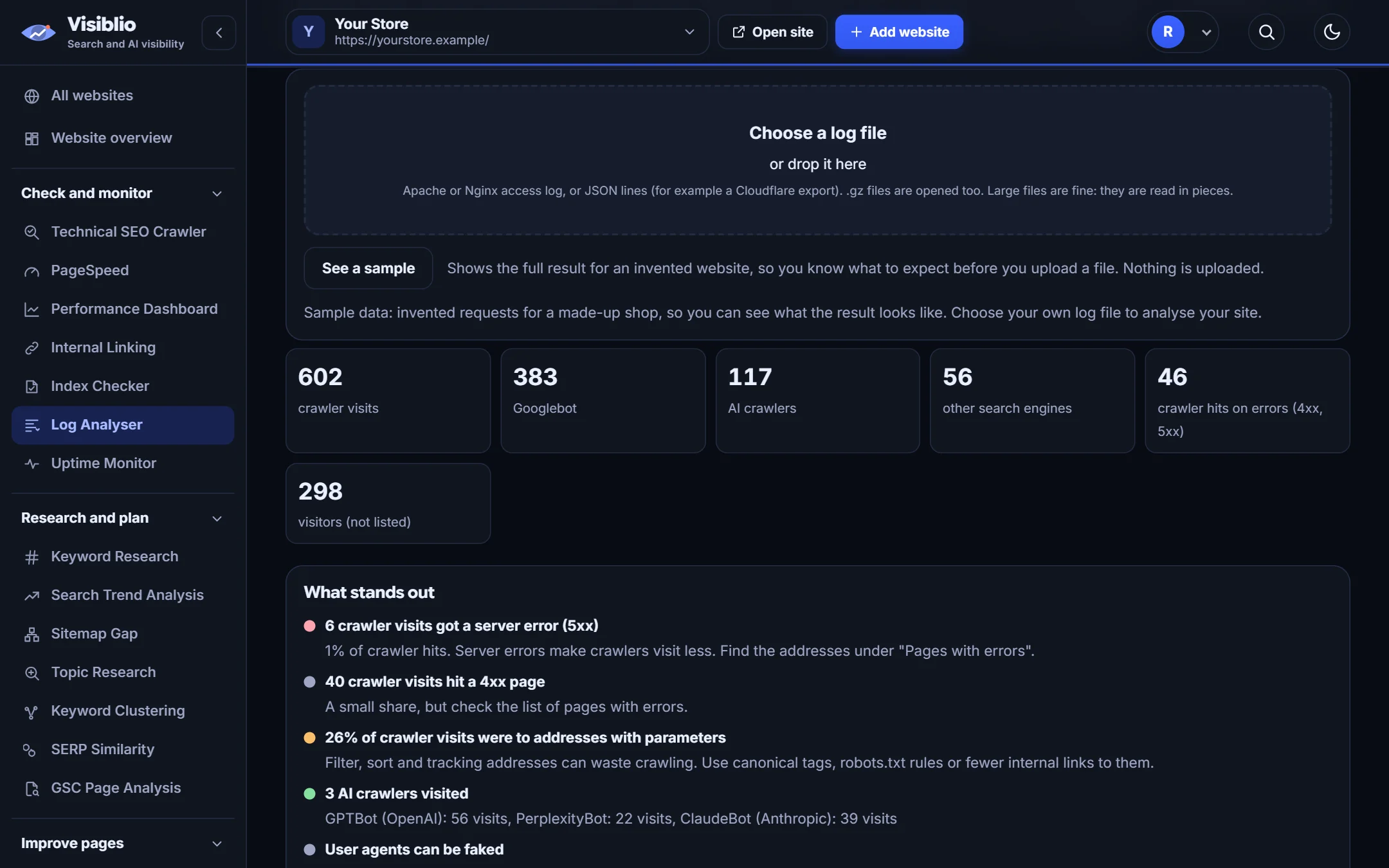
In your browserthe file is never uploadedAI crawlersrecognisedLarge filesread in pieces
visiblio · log analyser
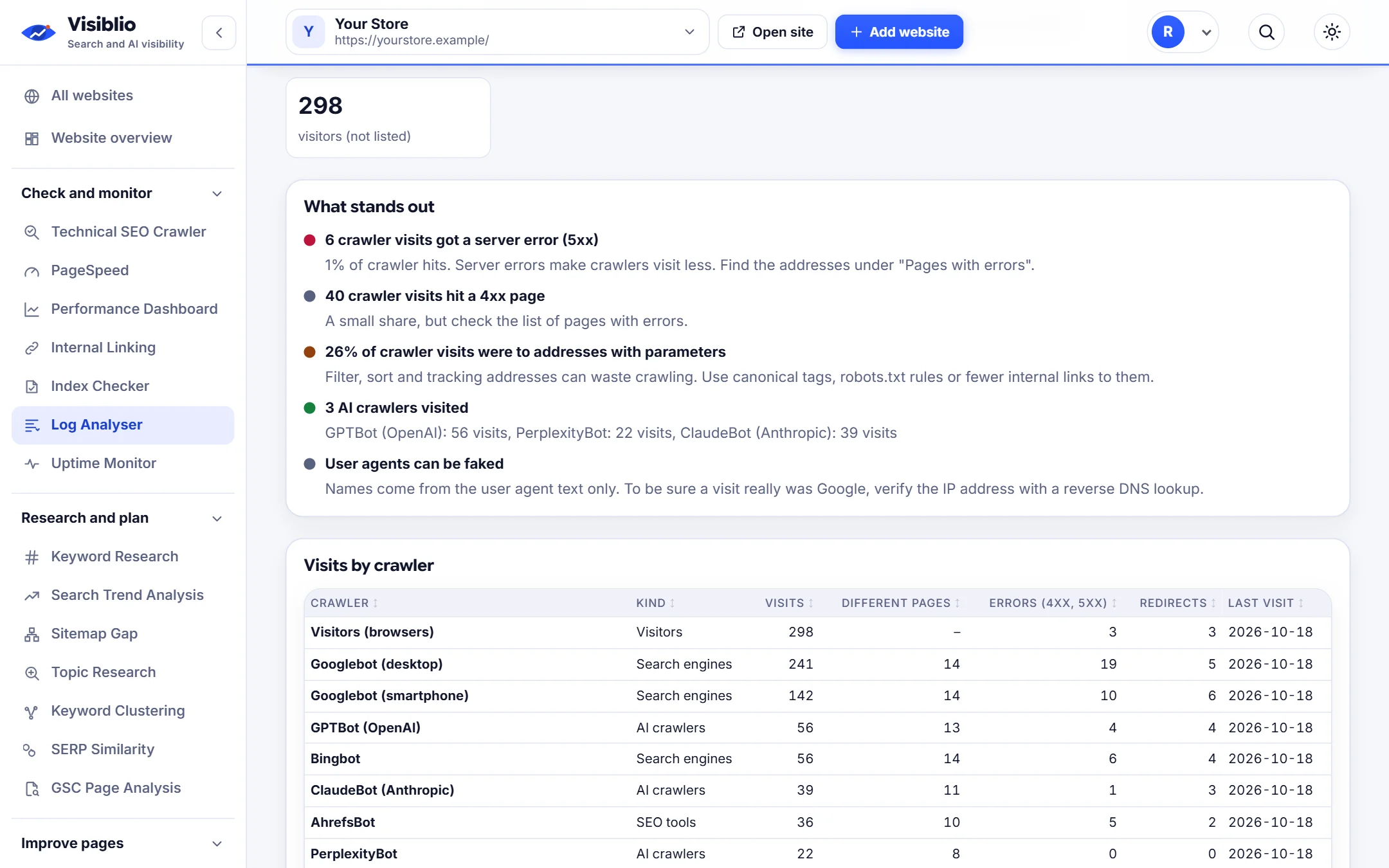
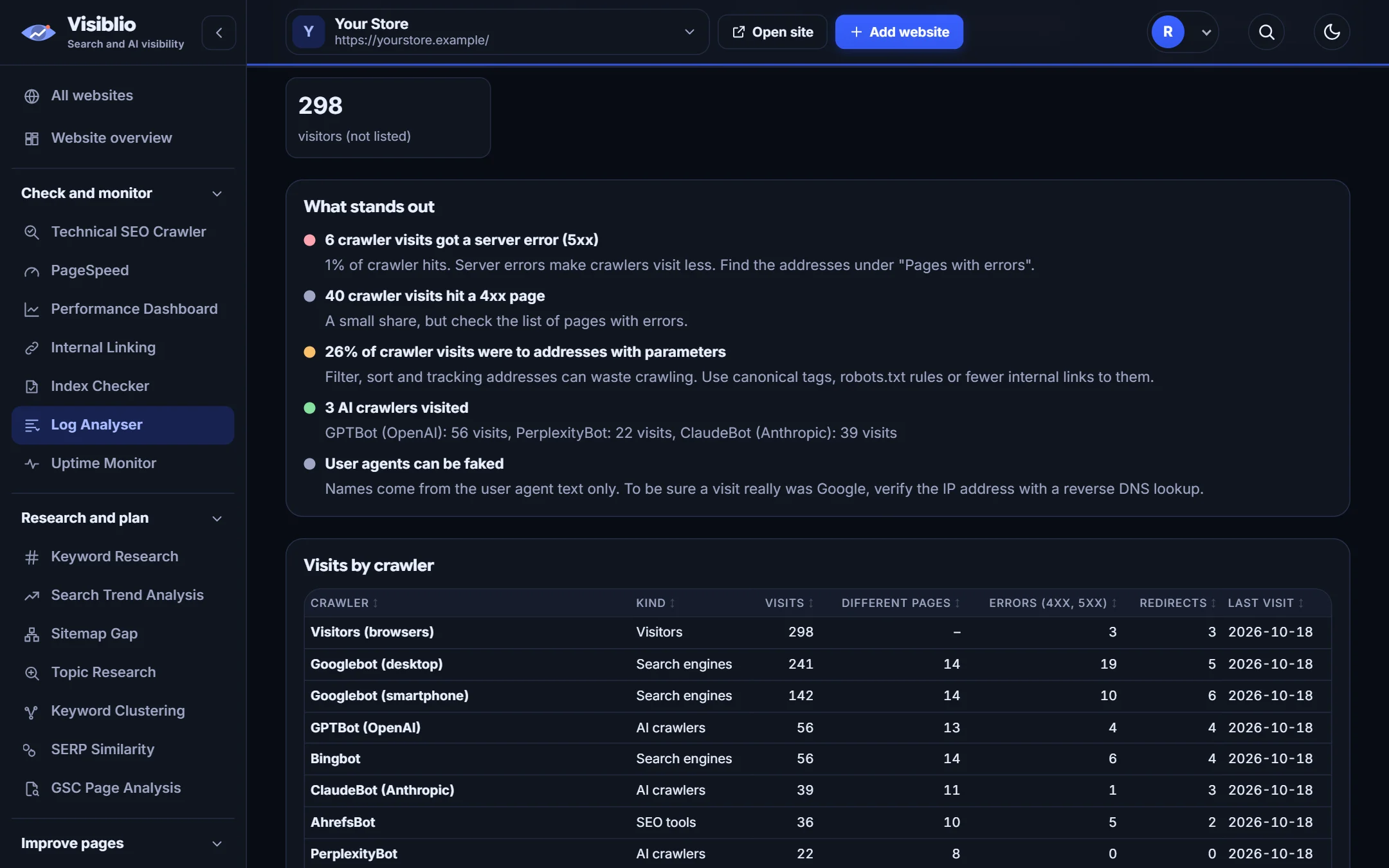
Log Analyser in Visiblio: log file analyser shown with sample data
Sample data

What is Log Analyser?

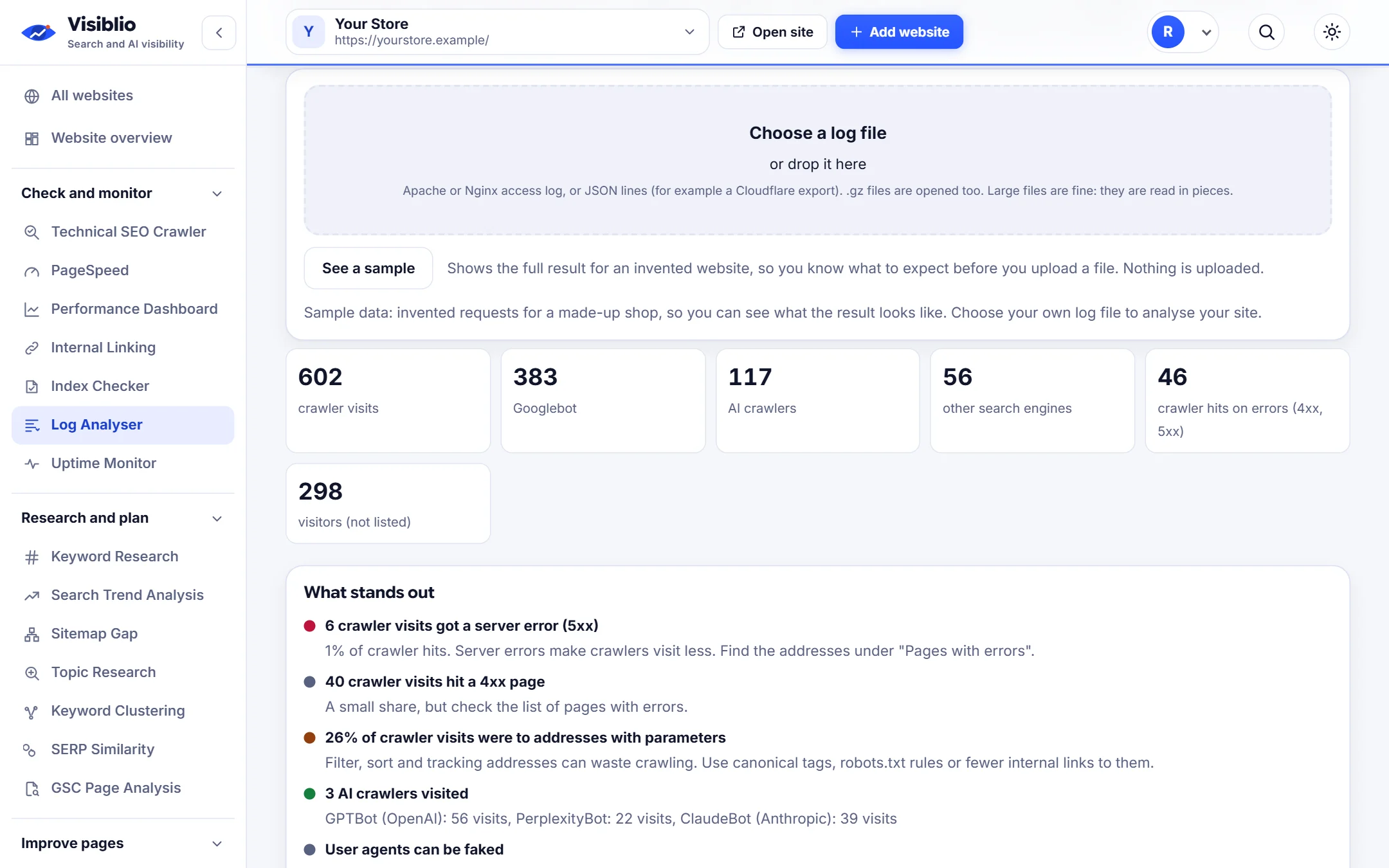
Server logs are the only record of what crawlers actually do on your website. The Visiblio Log Analyser reads an access log in your browser, recognises Googlebot, Bingbot and AI crawlers such as GPTBot, and shows which pages they visit, how often and what status codes they get back.

Your file is processed on your own computer, and large files are read in pieces so they do not have to fit in memory.

Why use Log Analyser

Real crawler behaviour

See what bots request, not what a sitemap says they should.

AI crawlers included

Check whether AI assistants' crawlers are visiting your content.

Errors and wasted crawling

Find error pages, redirects and low-value URLs eating crawler time.

Stays in your browser

The file is not uploaded to Visiblio's servers.

Try it with sample data

Load the sample to see the report before using your own file.

What you can do with Log Analyser

Bots

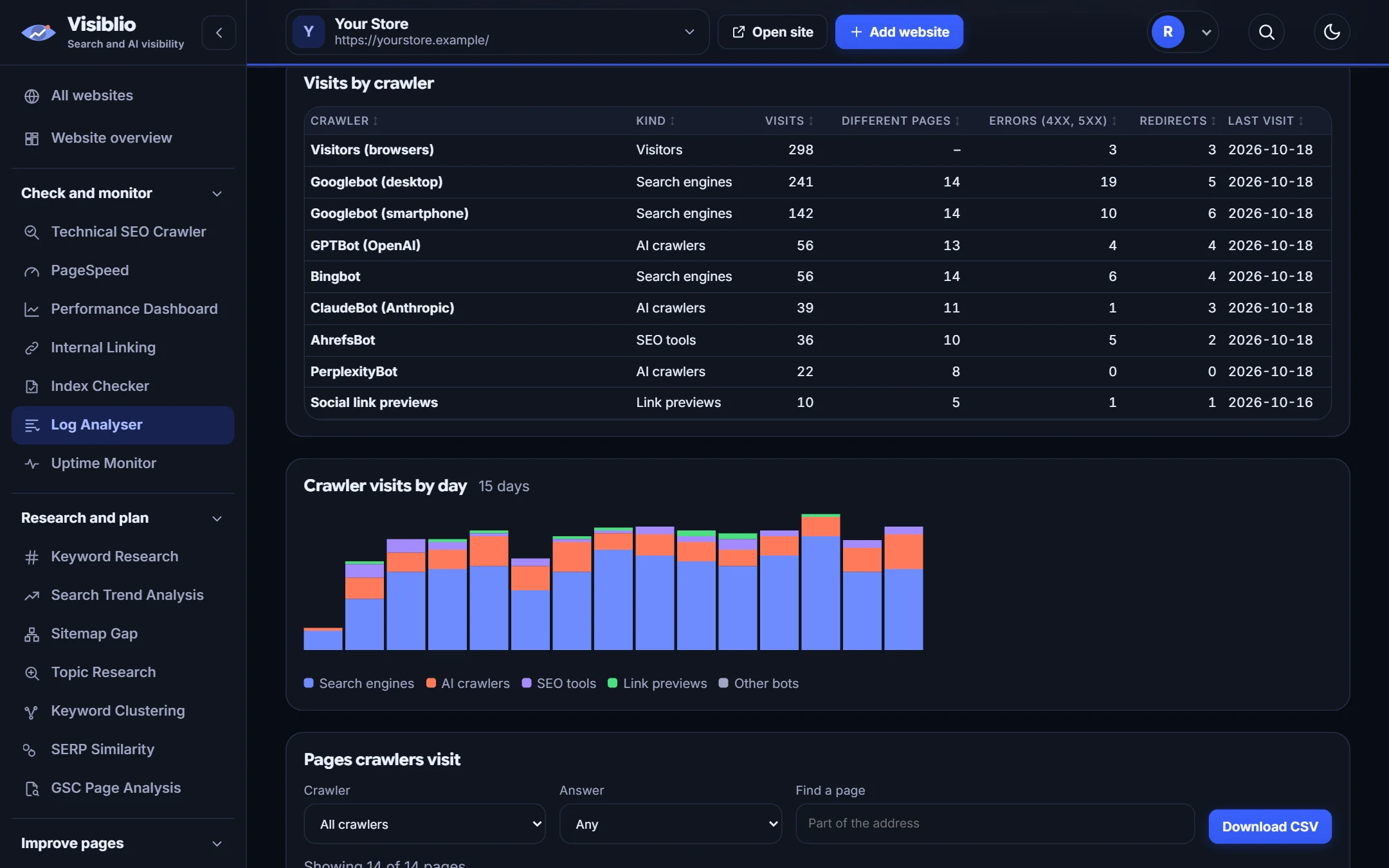
Which crawlers visit and how often

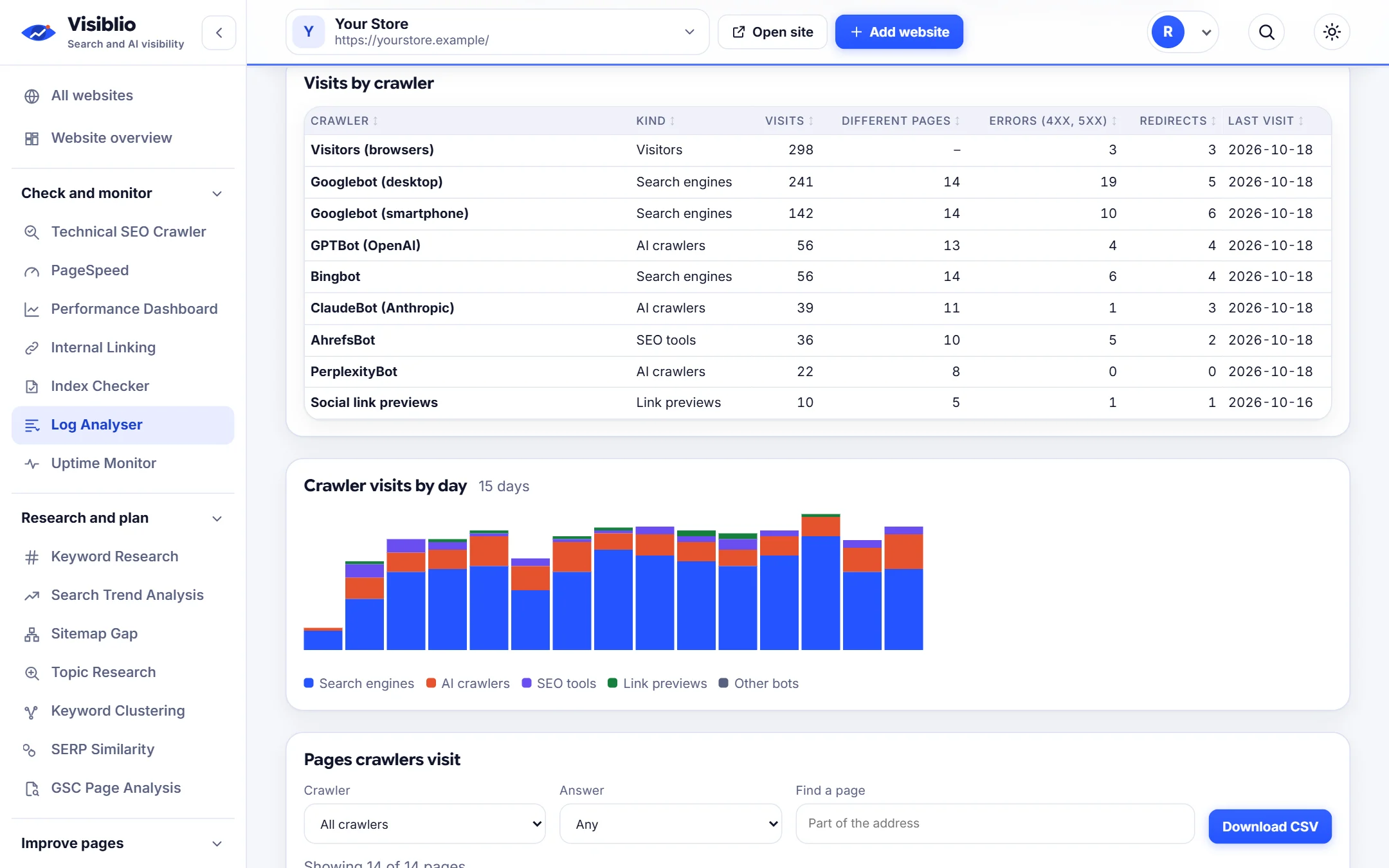
A summary of visits by crawler, with the day-by-day pattern, so you can see when and how heavily search engines crawl.

  • Googlebot, Bingbot and AI crawlers
  • Visits per day
  • Verified and unverified separated where possible
Analyse your log file
visiblio · log analyser
Log Analyser: Which crawlers visit and how often
Sample data
Pages

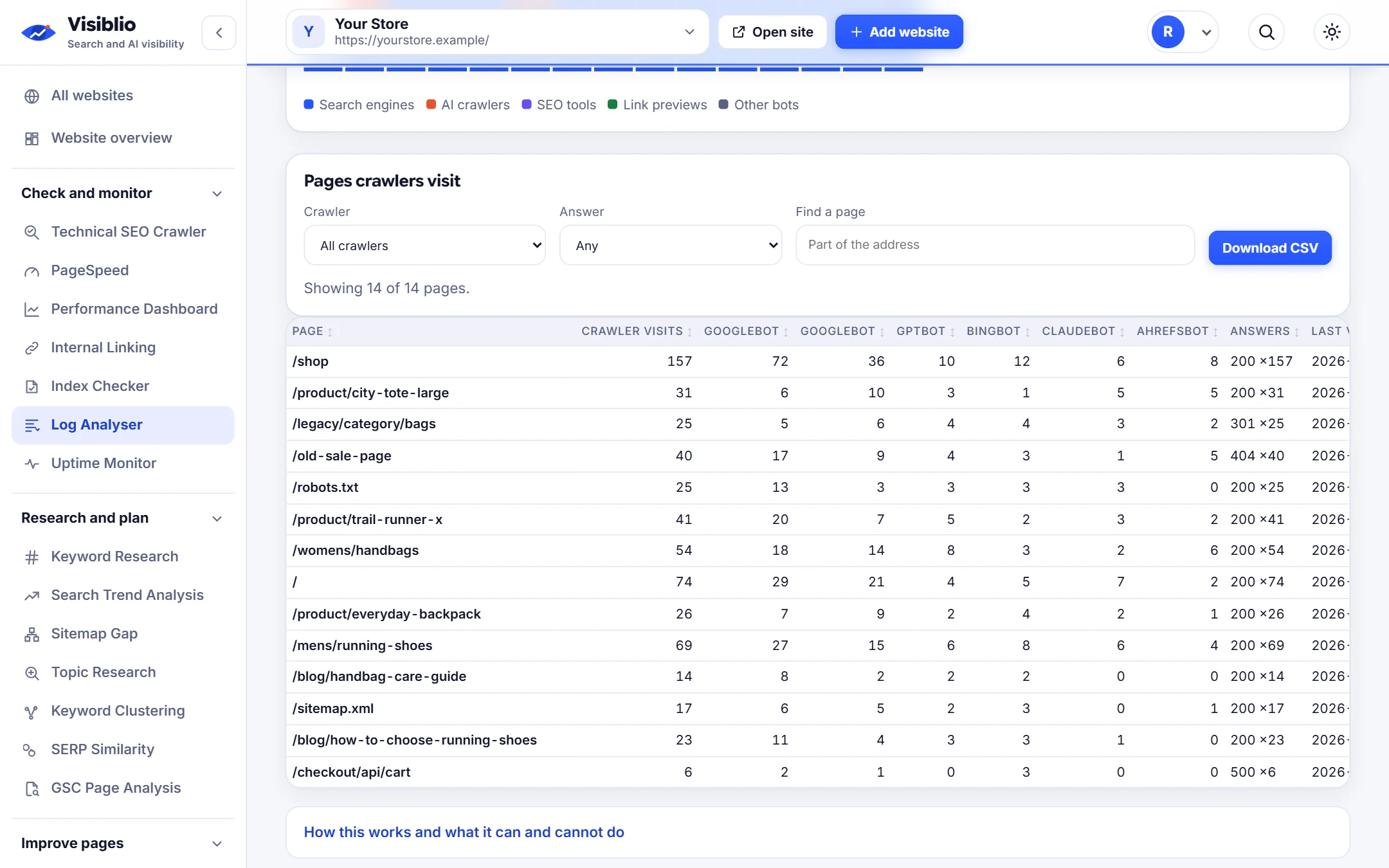
The pages crawlers care about, and the ones they waste time on

A table of the most requested URLs with their status codes and folders, so you can spot parameters, duplicates and error pages.

  • Most crawled pages and folders
  • Status codes per URL
  • Sort and filter the table
visiblio · log analyser
Log Analyser: The pages crawlers care about, and the ones they waste time on
Sample data
Errors

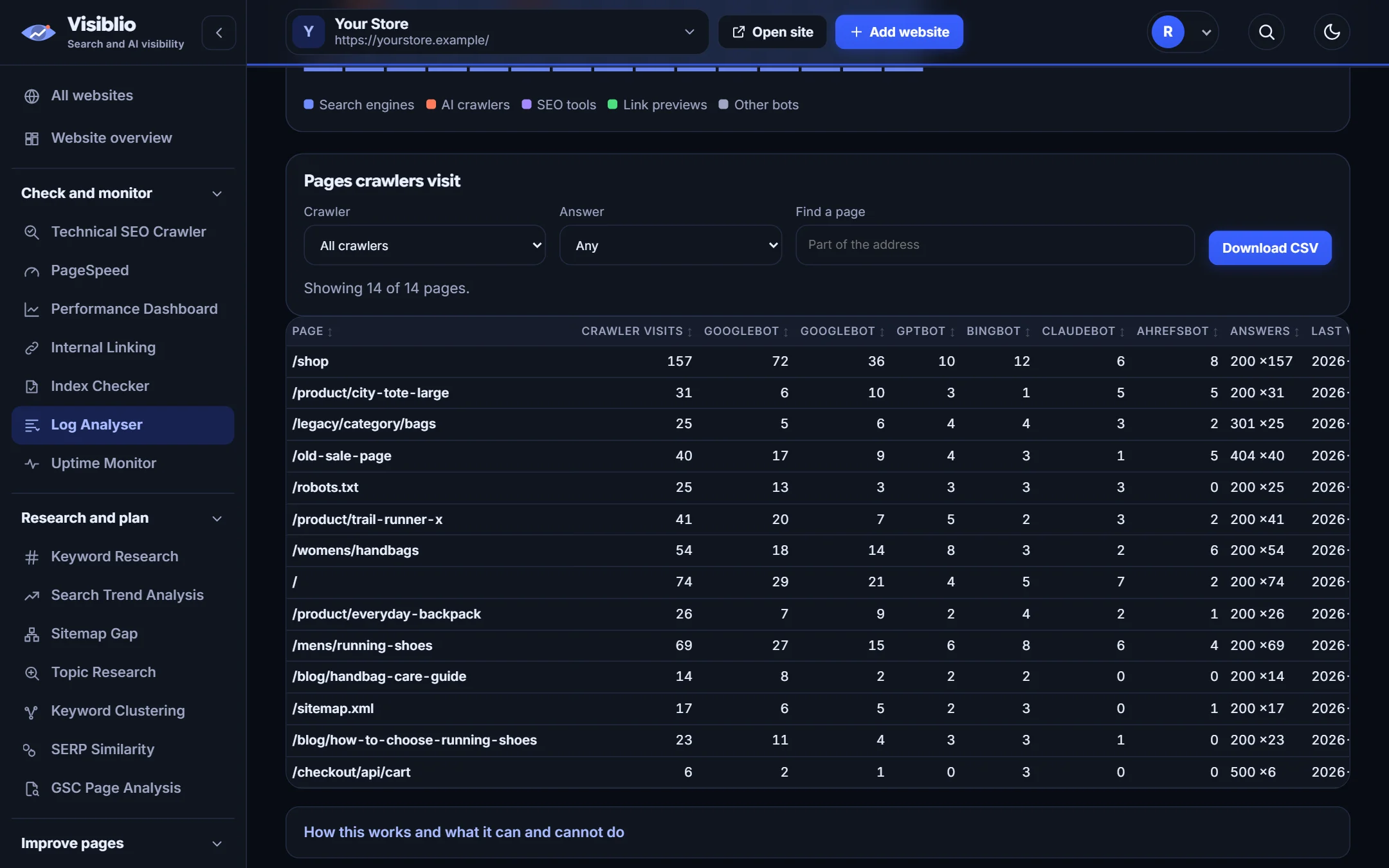
Find crawl errors before they cost you

See which URLs return 404 or 5xx errors to crawlers and how often, to prioritise fixes.

  • 404 and server errors listed
  • Redirect chains hit by bots
  • Export for developers
visiblio · log analyser
Log Analyser: Find crawl errors before they cost you
Sample data

How Log Analyser works

  1. 1

    Get a log file

    Ask your host or developer for an access log, or download it from your server.

  2. 2

    Drop it in

    Select the file. It is read in your browser and nothing is uploaded.

  3. 3

    Read the report

    Review crawler activity, crawled pages and errors, then fix what wastes crawling.

Who Log Analyser is for

Technical SEO specialists

Prove what crawlers do instead of assuming.

Large site owners

Find crawl waste on sites with many URLs.

Teams studying AI visibility

See whether AI crawlers fetch your key pages.

Log Analyser compared with doing it by hand

What you needBy handWith Visiblio
SoftwareInstall a desktop log toolWorks in your browser
PrivacyUpload logs to a third partyThe file stays on your computer
AI crawlersAdd custom rules by handRecognised automatically
Large filesMemory problemsRead in pieces

Frequently asked questions about Log Analyser

What is a log file analyser?

A log file analyser reads your web server's access log and shows which URLs were requested, by whom and with what result. For SEO, it shows exactly how search engine crawlers behave on your site.

Why analyse server logs for SEO?

Logs show real crawler visits, including pages that are crawled too often, pages never crawled, and errors returned to bots. This is information that crawling your own site or reading Search Console cannot fully give.

Is my log file uploaded?

No. The file is read in your browser, and the analysis happens on your computer.

Which log formats work?

Common access log formats from web servers and CDNs are supported. If a format is not read correctly, start with the sample file to see what is expected.

Is the Log Analyser free?

You can start for free. Plans set the size of the file and the number of analyses each month.
Ready to try Log Analyser?

Open the tool, add your website or a page address and see the result in minutes. It is free to start.